Unlike conventional universities, NOUN operates a flexible academic structure. This means results may be released in batches, updated gradually, or corrected after reviews. Understanding this process helps students interpret what they see on the portal without panic or confusion.
What the NOUN Student Portal Is Used For
The NOUN student portal is a centralized platform that manages nearly all academic records. Results are only one part of the system. Students also use the portal for course registration, examination schedules, tutor-marked assignments, and personal biodata updates.
When it comes to results, the portal displays semester grades, course units, grade points, and cumulative grade point average. These records are official and form the basis for academic decisions such as probation, progression, and graduation clearance.
How to Check NOUN Student Portal Result
Accessing your result on the portal is straightforward once the university releases grades for the semester. Follow these steps carefully to avoid login errors.
- Visit the official NOUN portal at www.nou.edu.ng.
- Click on the student login section.
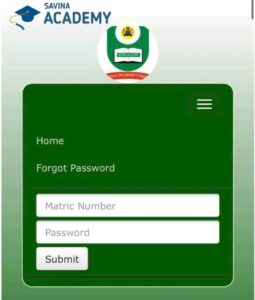
- Enter your matriculation number and password correctly.
- Navigate to the results or academic records menu.
- Select the relevant semester and session.
Once loaded, your result will appear on the screen. Students are advised to review each course line by line to confirm accuracy.
Understanding the Result Format on the Portal
Many students see their grades but do not fully understand what each column represents. The NOUN result layout is simple but precise.
- Course Code: Identifies the registered course.
- Course Unit: Shows the credit value of the course.
- Score and Grade: Reflects exam and assessment performance.
- Grade Point: Used to compute GPA and CGPA.
A missing course or blank grade does not always mean failure. In many cases, it indicates a pending upload or an unresolved issue with assessment records.
When NOUN Results Are Usually Released
The release timeline for the noun student portal result varies by semester and faculty. Generally, results are uploaded a few weeks after examinations end. Because NOUN operates across multiple study centres nationwide, uploads may not be simultaneous.
It is common for some courses to appear earlier than others. Students should check periodically rather than rely on a single login attempt.
Common Problems Students Face When Checking Results
Despite the simplicity of the portal, students sometimes encounter issues. These challenges are usually technical or administrative rather than academic.
Result Not Showing
This often happens when results are still being processed. It may also occur if a course registration was incomplete. Confirm your registered courses before escalating the issue.
Incorrect Grade Displayed
Errors can occur due to data entry mistakes or missing continuous assessment scores. Students should gather evidence such as TMA submissions before filing a complaint.
Portal Login Failure
Login issues are usually linked to incorrect credentials or temporary server downtime. Clearing browser cache or trying again later often resolves the problem.
What to Do If There Is an Issue with Your Result
If your result does not reflect your performance, the university provides formal channels for resolution. Avoid relying on rumours or unofficial advice.
The first step is to contact your study centre. Most result-related complaints are handled at this level. If necessary, students may be directed to submit a written request or fill a result complaint form.
Detailed guidance on handling academic issues, including result complaints, can also be found on educational support platforms such as
Savina Academy’s NOUN portal guide.
Can You Download or Print NOUN Results?
Yes, students can print their result pages directly from the portal. However, portal printouts are mainly for personal reference. For official purposes, transcripts or statements of result must be requested through NOUN’s approved procedures.
Students preparing for NYSC, postgraduate applications, or professional certification should confirm which document is required before proceeding.

How Results Affect Graduation and Academic Standing
The grades displayed on the noun student portal result page determine academic standing. CGPA thresholds apply for graduation eligibility, class of degree, and academic probation.
Students close to graduation should pay close attention to outstanding courses, carryovers, or missing grades. Early resolution prevents delays during clearance.
Tips for Keeping Your Result Records Safe
While the portal stores records securely, students should maintain personal backups. Save digital copies of each semester result and keep printed versions where possible.
Regular monitoring also helps detect errors early. Waiting until final year to check results often complicates corrections.
Helpful Resources for NOUN Students
Beyond the official portal, trusted academic platforms provide explanations and updates that help students stay informed. You may find the following resources useful:
NOUN course materials and academic resources
Updated information on NOUN school fees
NOUN online learning and support platform
Final Thoughts
The noun student portal result system is a reliable tool when used with patience and understanding. Delays and minor errors are part of a large open-distance learning framework, but most issues are resolved through proper channels.
Students who stay informed, keep records, and communicate early with their study centres enjoy a smoother academic journey. Regular checks and a calm approach go a long way in making the NOUN experience productive and rewarding.