Understanding how the FUTA portal works in 2026 is no longer optional. Whether you are a JAMB candidate hoping to secure admission, a newly admitted student completing clearance, or a returning undergraduate managing registrations, knowing the right portal, login steps, and common troubleshooting tips can save you time, stress, and costly mistakes.
This guide explains everything you need to know about FUTA portal login, how students and applicants can use it correctly, and what to do when challenges arise.
What Is the FUTA Portal?
The FUTA portal is the university’s official online platform designed to manage academic and administrative activities. It serves different categories of users, including:
- Post-UTME and Direct Entry applicants
- Newly admitted students
- Returning undergraduate students
- Postgraduate students
Each category accesses specific services depending on their academic status. While the interface may look similar, the functions available differ significantly.
To avoid confusion, FUTA operates multiple portal pages under its official domain, all accessible through the university’s main website.
Official FUTA Portal Login Links (2026)
Below are the commonly used FUTA portal login pages:
- Main university website: https://www.futa.edu.ng
- Student portal: https://futa.edu.ng/eportal
- Admission screening portal: https://admission.futa.edu.ng
Always confirm you are on the official FUTA website before entering personal details. Fake portals are common during admission periods.
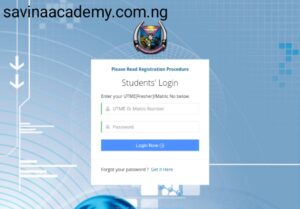
FUTA Portal Login for Admission Applicants
Admission applicants mainly interact with the FUTA portal during Post-UTME or Direct Entry screening exercises. This portal is used for registration, document uploads, and admission status checks.
How to Access the Admission Portal
- Visit the FUTA admission portal.
- Click on the current admission exercise.
- Log in using your JAMB Registration Number.
- Create a password if prompted.
- Proceed to complete your profile.
What You Can Do on the Admission Portal
- Register for FUTA Post-UTME screening
- Upload O’Level results
- Confirm UTME and Direct Entry details
- Check admission status
- Accept admission offer
Applicants are advised to ensure their JAMB CAPS status aligns with what appears on the FUTA portal. You can cross-check this via the JAMB official website.
FUTA Portal Login for Newly Admitted Students
Once admission is offered and accepted, attention shifts to the student portal. This is where newly admitted students complete critical onboarding processes.
First-Time Login Steps
- Go to the FUTA student portal.
- Use your JAMB Registration Number or Matriculation Number.
- Enter the default password provided by the school.
- Change your password immediately after login.
Key Activities for Fresh Students
- Acceptance fee payment
- School fees payment
- Online clearance
- Course registration
- Hostel application (if available)
Skipping any of these steps may delay your full registration or prevent access to lectures and examinations.
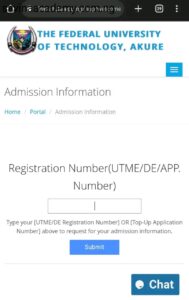
FUTA Portal Login for Returning Students
For returning students, the FUTA portal login becomes part of every academic session. From checking results to registering courses, everything flows through the portal.
Common Tasks for Returning Students
- Sessional course registration
- Payment of school and departmental fees
- Checking semester results
- Printing course forms and receipts
- Updating personal information
Students are advised to complete registration early to avoid penalties or late registration charges.
How to Reset Password on FUTA Portal
Forgetting login details is common, especially after long breaks. Thankfully, the FUTA portal login system includes a password recovery option.
Password Recovery Steps
- Click on “Forgot Password” on the portal login page.
- Enter your registered email or matric number.
- Follow the reset link sent to your email.
- Create a new password and log in.
If email recovery fails, students should contact the ICT support unit within the campus.
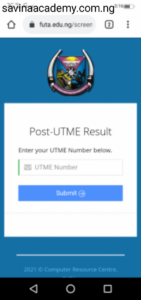
Common Problems with FUTA Portal Login and Solutions
Invalid Login Details
This usually happens due to incorrect matric number format or password errors. Double-check your entries and ensure CAPS acceptance has been completed if you are a new student.
Portal Not Opening
Heavy traffic during registration periods can slow the portal. Try accessing it during off-peak hours or use a different browser.
Payment Not Reflecting
Wait a few hours and refresh your dashboard. If payment still does not reflect, report with your receipt to the bursary unit.
Important Tips for Using the FUTA Portal Safely
- Do not share your login details with anyone
- Avoid cyber cafés that save passwords automatically
- Always log out after using the portal
- Use a strong, unique password
These simple habits can protect your academic records and financial information.
Helpful FUTA-Related Resources
To better understand FUTA admissions and academics, you may find these guides useful:
For official announcements, always rely on updates from the FUTA official website.
Final Notes
The FUTA portal login remains the backbone of academic life at the Federal University of Technology, Akure. Knowing how to navigate it correctly puts you ahead, reduces errors, and helps you stay compliant with university regulations.
Whether you are applying for admission or continuing your studies in 2026, mastering the portal ensures smoother registration, accurate records, and timely access to important information. Always stay alert for official updates and deadlines to make the most of your FUTA experience.